

Your brand
Put your name and logo on cards you’re proud to give.
GIVE LOCALLY. GROW TOGETHER.
Create branded gift cards, track balances and manage redemption.
No percentage-based platform fees
Software charges and any fees from your payment provider are separate.Put your name and logo on cards you’re proud to give.
No InOutHub percentage fee on the value you issue or redeem.
Staff scan a card or enter its code, check the balance and confirm the amount.
TWO WAYS TO GIVE LOCALLY
FOR BUSINESSES
Collect payment through your existing methods, then issue and manage your own branded gift cards.
Use your usual payment method outside InOutHub.
Choose a value, create one or a batch, then print or save.
Staff confirm the amount used. See what remains.
FOR ORGANIZATIONS
Give branded gifts through chosen business partners, with clear balances and shared settlement records.
Add participating businesses and agree reimbursement.
Issue individual cards or a batch for your people.
Track use, then record external payments and confirm receipt.
Issuing a card does not collect or record a purchase payment. Complimentary and organization-funded gifts do not necessarily involve a sale to the recipient.
A CLEAR VIEW OF YOUR PROGRAM
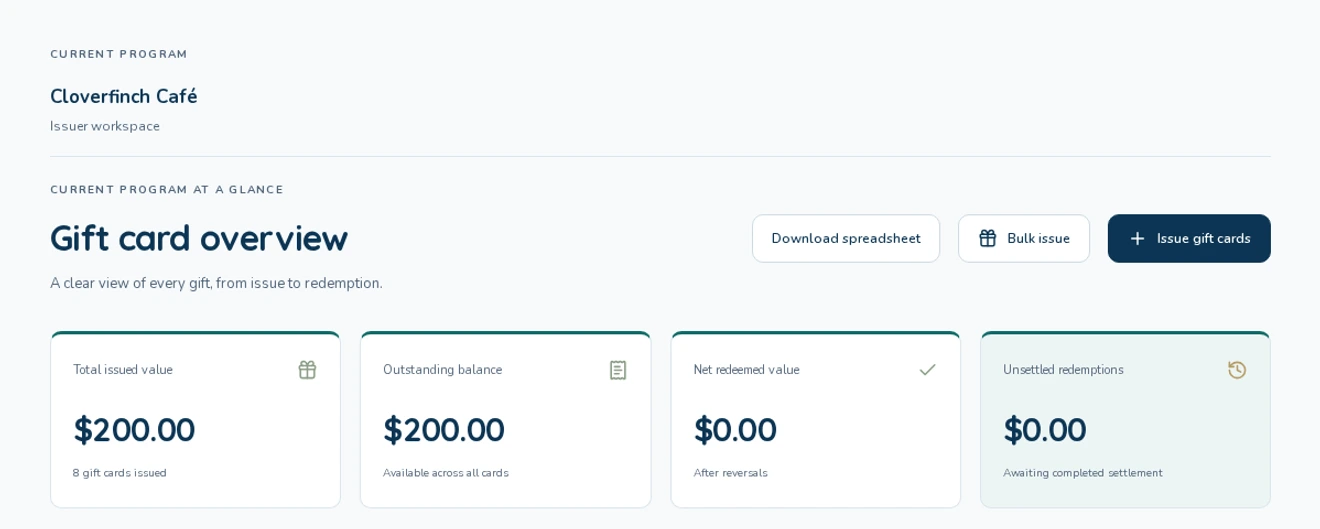
Review issued value, balances and redemption in one place. Download activity when you need to work with it.

On a phone, swipe across the image to read the full screen.
MAKE IT YOURS
Two wallet-size designs, personalized with your issuer branding. Each issued card gets its own QR and readable code.


Names and logos shown are fictional examples. Card previews are not issued cards. The illustration at the top of this page is decorative artwork.
SOFTWARE PRICING. NO CUT OF YOUR GIFT VALUE.
No percentage-based InOutHub fee on issuance or redemption. Ask us about access and software plans.
Software charges and any fees from your payment provider are separate. InOutHub does not collect gift purchase payments or transfer settlement funds.
Talk to us about your programGOOD QUESTIONS
Yes. Your business can be set up as an issuer with its own accepting location. Issuer admins create cards and review activity; store admins manage redemption staff. Access is arranged with InOutHub.
Use your existing payment methods before issuing a sold card. InOutHub manages the card and its balance; creating a card is not proof that payment was received.
No. Staff can redeem through InOutHub Gifts in a browser. It does not automatically update your till or accounting system.
Yes. Staff enter the amount to use and confirm it. The remaining balance stays on the card.
At the active businesses linked to the card’s issuer. Adding or disabling a business changes where existing cards can be used for their next transaction.
Email support@inouthub.app with your business or organization name and what you want to offer. We’ll help arrange the issuer, accepting locations and administrator access. Already have an account? Sign in.
GIVE LOCALLY. GROW TOGETHER.
Tell us about your business or organization. We’ll help you get started.
Request accessOpens your email app. You can also email support@inouthub.app.


